11:57
شرح أجهزة الشبكات والفرق بين الهاب والسويتش والراوتر - Hub vs Switch vs Router
IT Dose
Overview
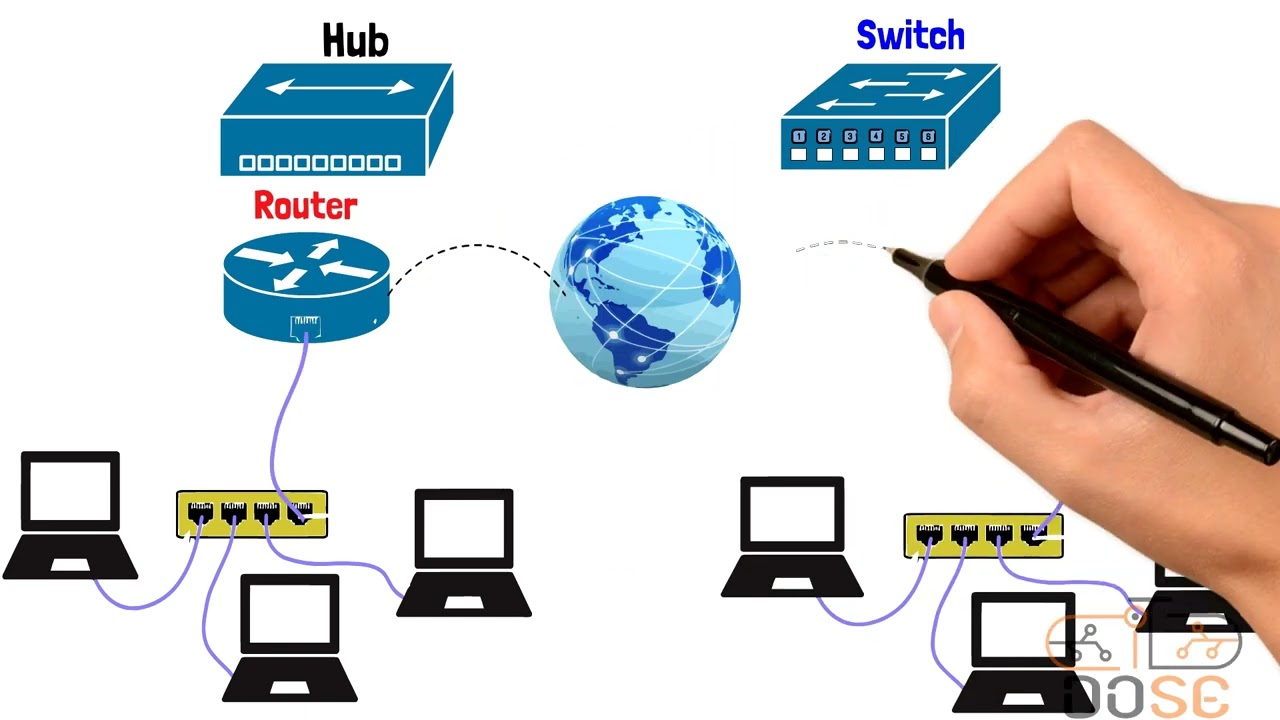
This video explains the fundamental network devices: Hubs, Switches, and Routers. It details how each device functions, their differences, and their roles in network communication. The Hub, an older device, broadcasts data to all connected devices, leading to inefficiencies and security issues. The Switch, a more advanced device, uses MAC addresses to intelligently forward data only to the intended recipient, improving performance and security. The Router acts as a gateway between different networks, using IP addresses to direct traffic towards its final destination, enabling internet connectivity and communication between diverse networks.
How was this?
Save this permanently with flashcards, quizzes, and AI chat
Chapters
- Network devices like Hubs, Switches, and Routers are essential for building networks.
- The primary difference between these devices lies in how they handle and direct data.
- Understanding these devices is crucial for grasping network fundamentals.
These devices form the backbone of any network, and understanding their distinct functions is key to designing, troubleshooting, and optimizing network performance.
- A Hub is a basic network device that connects multiple devices within a single local network.
- It operates at the Physical Layer (Layer 1) and functions as a repeater, broadcasting incoming data to all connected ports.
- Hubs do not understand MAC or IP addresses, leading to inefficient data distribution and potential security risks as all devices receive all data.
- They use half-duplex communication, meaning they can only send or receive data at one time, increasing the chance of data collisions.
Understanding the limitations of a Hub highlights why more advanced devices were developed to overcome issues like network congestion and security vulnerabilities.
If Device A wants to send data to Device D via a Hub, Devices B and C will also receive the same data, even though it's not intended for them. They will then discard it.
- A Switch is a more intelligent device than a Hub, operating at the Data Link Layer (Layer 2).
- It uses MAC addresses to learn which device is connected to which port, storing this information in a MAC address table (or switch table).
- When data arrives, the Switch forwards it only to the specific port of the intended recipient, significantly reducing unnecessary traffic and improving security.
- Switches support full-duplex communication, allowing simultaneous sending and receiving of data, which minimizes collisions and maximizes bandwidth utilization.
Switches dramatically improve network efficiency and security by directing traffic precisely, making them a standard component in modern local area networks.
A Switch learns that Device A (MAC address 16 'A's) is on port 1 and Device B (MAC address all 'B's) is on port 2. When A sends data to B, the Switch sends it only to port 2, not to other ports.
- A Router is essential for connecting different networks together, including your local network to the internet.
- It operates at the Network Layer (Layer 3) and uses IP addresses to make decisions about where to forward data packets.
- Routers maintain routing tables to determine the best path for data to travel across networks.
- They act as gateways, directing traffic between your private network and external networks like the internet.
Routers are the gatekeepers that enable communication beyond your local network, making the internet and inter-network communication possible.
When you send a message on Facebook, your router directs the data packet from your home network through various networks until it reaches Facebook's servers.
- When a packet leaves a device, its source and destination IP addresses remain constant, but the MAC addresses change at each hop between routers.
- A router receives a packet, examines the destination IP address, and consults its routing table to find the next hop.
- The router then strips the old frame and creates a new one with the appropriate MAC addresses for the next segment of the journey.
- Protocols like ARP (Address Resolution Protocol) are used to find the MAC address of the next-hop router when it's on the same local network.
This process ensures that data can traverse complex, multi-network paths efficiently and accurately, even though the specific physical links change along the way.
A packet from Device A (IP 10.0.0.2) to Device B (IP 30.0.0.2) will have its MAC address updated by each router it passes through, but the source and destination IP addresses will stay the same throughout the journey.
Key takeaways
- Hubs are outdated devices that broadcast data indiscriminately, causing inefficiency and security issues.
- Switches intelligently direct traffic using MAC addresses, improving network performance and security within a local network.
- Routers connect different networks and use IP addresses to guide data packets to their final destinations across the internet.
- While IP addresses define the source and destination across networks, MAC addresses are used for local delivery within each network segment.
- Full-duplex communication, supported by switches and routers, significantly reduces data collisions compared to the half-duplex of hubs.
- The process of routing involves routers consulting routing tables to forward packets between networks, updating MAC addresses at each hop.
Key terms
HubSwitchRouterMAC AddressIP AddressPhysical Layer (Layer 1)Data Link Layer (Layer 2)Network Layer (Layer 3)MAC Address TableRouting TableFull-DuplexHalf-DuplexARP (Address Resolution Protocol)
Test your understanding
- What is the primary difference in how a Hub and a Switch handle incoming data?
- Why is a Switch considered more efficient and secure than a Hub?
- How does a Router enable communication between different networks, such as a home network and the internet?
- What information does a Router use to make forwarding decisions, and how does this differ from a Switch?
- Explain why MAC addresses change during data transmission across multiple networks, while IP addresses typically remain the same.