23:56
Introduction to Operating System and its Functions | Operating System | Lecture 1
Jenny's Lectures CS IT
Overview
This video introduces the fundamental concept of an operating system (OS) as a crucial interface between users and computer hardware. It clarifies that an OS is system software, distinct from application software, and explains how it simplifies complex hardware interactions. The lecture details the primary functions of an OS, including resource management (CPU, memory, I/O devices), storage management, and security. It also touches upon the two main goals of an OS: user convenience and system efficiency, and briefly mentions the types of user interfaces (GUI and CLI).
How was this?
Save this permanently with flashcards, quizzes, and AI chat
Chapters
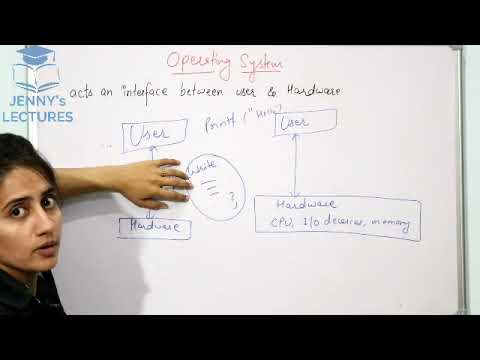
- An operating system acts as an intermediary, making it easier for users to interact with computer hardware.
- It is classified as system software, which manages the computer's operations, unlike application software designed for specific tasks.
- The 'interface' function is analogous to a light switch, simplifying complex operations for the user without needing to understand the underlying mechanics.
Understanding the OS as an interface is key to appreciating why it's essential for making computers usable by a wide range of people, not just experts.
A light switch that turns on a fan without requiring knowledge of the internal wiring.
- Software consists of tested programs along with documentation.
- Application software performs specific tasks (e.g., word processing, media playback).
- System software, including the OS, manages hardware and provides a platform for applications to run.
Distinguishing between system and application software helps clarify the OS's role as a foundational component rather than a tool for a single purpose.
VLC media player (application software) runs on top of the operating system (system software).
- Without an OS, users would need to write complex programs to directly interact with hardware components like the CPU or I/O devices.
- The OS handles these low-level details through system calls, allowing users to perform actions like printing to the screen with simple commands (e.g., `printf`).
- This abstraction prevents users from needing to understand intricate hardware specifics, making computing accessible.
This illustrates how the OS shields users from hardware complexity, enabling them to focus on their tasks rather than low-level programming.
Writing `printf("hello")` to display text on the screen, with the OS managing the underlying system calls to the display hardware.
- Resource Management: The OS allocates and manages hardware resources such as the CPU, memory, and I/O devices among various processes and users.
- Process Management: It controls the execution of programs, deciding which process gets the CPU and for how long (scheduling).
- Memory Management: It manages the main memory (RAM), deciding which programs reside in memory for execution and handling swapping.
- I/O Device Management: It controls access to input/output devices like printers and keyboards, ensuring orderly use.
- Storage Management: It manages secondary storage (hard disks), organizing data through file systems.
- Security and Protection: It protects system resources and prevents processes from interfering with each other or unauthorized access.
These functions are the backbone of a computer's operation, ensuring that hardware is used efficiently, programs run correctly, and the system remains secure.
When multiple programs are running, the OS decides how much CPU time each gets, which parts of them are loaded into RAM, and which one can use the printer next.
- Convenience: The OS should be user-friendly and easy to use, especially for non-expert users.
- Efficiency: The OS should utilize the computer's hardware resources effectively, which is particularly important for high-performance systems like supercomputers.
- The primary goal for typical end-users is convenience, while for specialized systems, efficiency takes precedence.
Understanding these goals helps explain why different operating systems are designed with varying priorities, balancing ease of use with performance.
Windows is designed for convenience, making it easy for most people to use, while operating systems for supercomputers prioritize maximum computational efficiency.
- Graphical User Interface (GUI): Allows interaction through visual elements like icons and windows.
- Command-Line Interface (CLI): Requires users to type commands to interact with the system.
- These interfaces are different ways users can communicate their intentions to the operating system.
Recognizing different interface types helps understand how users interact with the OS and why certain systems might feel easier or more complex to use.
Clicking on icons in Windows (GUI) versus typing commands in MS-DOS (CLI).
Key takeaways
- An operating system is essential system software that acts as a bridge between users and complex hardware.
- The OS simplifies hardware interaction by abstracting away low-level details, making computers accessible.
- Key OS functions include managing processes, memory, I/O devices, storage, and ensuring system security.
- Resource allocation by the OS ensures that multiple users and programs can share hardware efficiently.
- The design of an OS balances the goals of user convenience and system efficiency.
- Different types of interfaces, like GUI and CLI, offer distinct ways for users to interact with the OS.
- Understanding the OS's role is fundamental to comprehending how any computer system operates.
Key terms
Operating System (OS)System SoftwareApplication SoftwareInterfaceHardwareResource ManagerProcess ManagementMemory ManagementI/O Device ManagementStorage ManagementSecurityConvenienceEfficiencyGUI (Graphical User Interface)CLI (Command-Line Interface)System Call
Test your understanding
- What is the primary role of an operating system in relation to users and hardware?
- How does an operating system simplify the interaction between a user and computer hardware?
- What are the main categories of functions performed by an operating system?
- Why are both convenience and efficiency important goals for an operating system, and when might one be prioritized over the other?
- What is the fundamental difference between system software and application software?