58:34
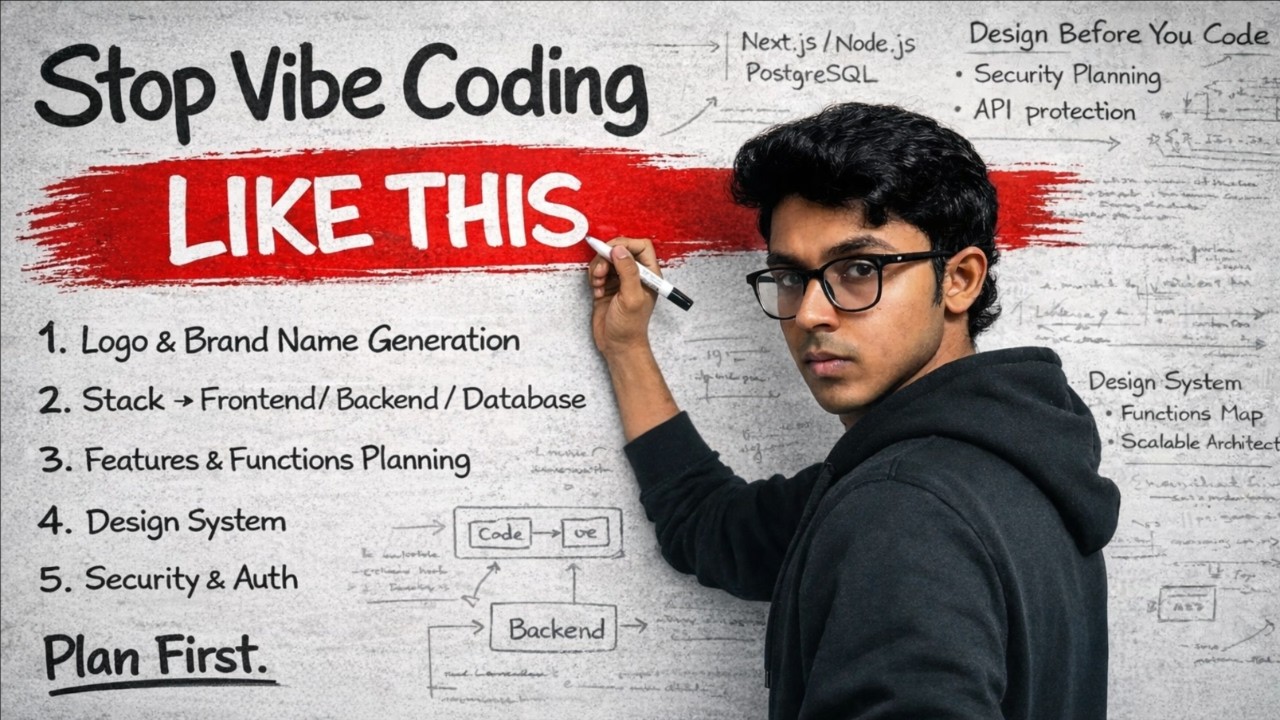
Stop Vibe Coding Without a Plan (Do This First)
Vivek Mishra
Overview
This video explains the critical importance of planning before building a website or web application, contrasting a haphazard approach with a structured one. It introduces the Product Requirements Document (PRD) as the foundational planning tool, detailing its purpose and key elements. The presenter walks through the process of creating a PRD for an invoice generator web app, covering steps like naming, logo generation, feature definition, and technology stack selection. The video emphasizes a systematic approach to ensure a production-ready, secure, and scalable final product, setting the stage for a series on building such applications.
How was this?
Save this permanently with flashcards, quizzes, and AI chat
Chapters
- Building a website without a plan results in a disorganized and clumsy user interface, despite clean code.
- A well-planned website features subtle animations, effects like glassmorphism, and dynamic elements.
- Planning is essential for creating production-ready sites that are both visually appealing and efficient.
- Lack of planning can lead to wasted resources, such as AI tokens, increasing development costs and slowing down progress.
Understanding the consequences of unplanned development highlights the necessity of a structured approach to avoid costly mistakes and ensure a professional end product.
The speaker contrasts a poorly structured, un-planned site with a visually rich site featuring animations, glassmorphism, and auto-incrementing numbers, attributing the difference to planning.
- A PRD (Product Requirements Document) is the core tool for planning a web application.
- Key elements of a PRD include the product name, chosen technology stack, features, number of pages, and monetization strategy (e.g., payment acceptance, pricing).
- The purpose of a PRD is to define the scope and requirements of the product before development begins.
- Different business goals, like lead generation via a landing page versus building a full-stack web app, require different levels of planning.
The PRD serves as a blueprint, ensuring all stakeholders are aligned on the product's vision and requirements, which is crucial for efficient development and meeting user needs.
The speaker defines a PRD by listing its components: product name, stack, features, page count, and payment details.
- This video series focuses specifically on planning and building web applications, not mobile apps or desktop software.
- A web app is characterized by dynamic, app-like functionality integrated within a website.
- The process of building a web app involves selecting a name, creating a logo, and defining features.
- Perfectionism in the initial stages can hinder progress; focus on building a functional foundation first.
Clarifying the focus on web apps helps learners tailor their planning and development efforts to the specific type of product they aim to build.
The speaker uses the example of building an invoice generator as the focus for the web app development series.
- Choosing a brandable, short, and cohesive name is essential.
- Tools like NameLeaks can assist in generating potential business names.
- Availability of a domain name (preferably .com) is a critical consideration during the naming process.
- A logo is a key branding element that can be generated using AI or designed separately.
A strong brand name and logo are the first steps in establishing a product's identity and market presence, influencing customer perception and recognition.
The speaker uses NameLeaks to generate names for an invoice generator, settling on 'Invoice Mo' and exploring logo generation prompts for AI.
- Outline the necessary pages for the website, such as Home, About Us, Contact Us, Privacy Policy, and Pricing.
- Detail the specific features the web application will offer, like user authentication (login/signup), invoice creation, customization options, and download functionality.
- Break down complex features into smaller, manageable components (e.g., customization includes font, color, signature).
- Consider essential functionalities like currency support, tax rates, and invoice history tracking.
A clear definition of pages and features ensures that the development process is focused and that the final product meets the intended user needs and functionalities.
The speaker lists pages like Home, About Us, Contact Us, Privacy Policy, and Pricing, and features such as dashboard, login/signup, invoice creation, customization (font, color, signature), and download.
- A technology stack consists of the front end (what the user sees), the back end (server-side logic and security), and the database (data storage).
- The front end is built using frameworks like React with Next.js and styled with libraries like Tailwind CSS.
- The back end handles business logic, API calls, and security, often built with Node.js and Express.
- Databases like MongoDB store user data, invoices, and history, with security measures like password hashing.
- A dedicated back-end layer is recommended between the front end and database for enhanced security and control.
Selecting the right technology stack is fundamental for building a scalable, secure, and maintainable web application, impacting performance and development efficiency.
The speaker outlines a stack: Front end (React, Next.js, Tailwind CSS), Back end (Node.js, Express), and Database (MongoDB).
- AI tools like ChatGPT and Claude can assist in generating a detailed PRD based on defined requirements.
- The PRD should be structured, including sections for technology stack, features, pages, and best practices.
- AI can help refine the PRD by identifying missing elements or suggesting structural improvements.
- While AI can generate initial prototypes (e.g., using platforms like Lovable), a manual, secure development approach is necessary for production-readiness.
Leveraging AI for PRD generation and prototyping can significantly speed up the initial planning and design phases, providing a solid foundation for development.
The speaker uses Claude to generate a PRD for the invoice generator and demonstrates using Lovable AI to create a basic, un-functional prototype.
- The process moves from idea to planning (PRD) and then to execution (coding).
- While AI tools can accelerate planning and prototyping, true production-ready development requires a deeper understanding of front-end, back-end, and database integration.
- Building a secure and functional back end is often the most challenging part of development.
- The next steps involve building the functional back end and then integrating it with the front end for a complete web application.
Understanding the full development lifecycle, from planning to execution and deployment, is crucial for building robust and successful web applications.
The speaker emphasizes that the next video will focus on building the functional back end, which is critical for a production-ready application.
Key takeaways
- A Product Requirements Document (PRD) is essential for structured web application development, preventing chaos and ensuring clarity.
- Planning involves defining the product's name, features, pages, and technology stack before writing any code.
- AI tools can significantly aid in generating PRDs and initial prototypes, but they do not replace the need for expert development.
- A robust technology stack includes a well-defined front end, a secure back end, and a reliable database.
- Prioritizing security and scalability from the outset is crucial for building production-ready web applications.
- Focusing on one type of product, like web applications, helps in creating a more targeted and effective plan.
- Don't let the pursuit of perfection in the early stages halt progress; iterative development is key.
- Understanding the distinction between front-end, back-end, and database is fundamental to web development.
Key terms
Product Requirements Document (PRD)Web ApplicationTechnology StackFront EndBack EndDatabaseDomain NameLogo GenerationUser AuthenticationAI Prompt EngineeringProduction-Ready
Test your understanding
- What are the primary components of a Product Requirements Document (PRD)?
- Why is it important to define a technology stack before starting web development?
- How does a Product Requirements Document (PRD) help prevent common development pitfalls?
- What is the difference between the front end, back end, and database in a web application?
- How can AI tools assist in the planning and prototyping phases of web development, and what are their limitations?