6:09
QD-OLED at Its Finest? AOC Q27G4ZD Gaming Monitor Hands-On
Rebels Squad Tech
Overview
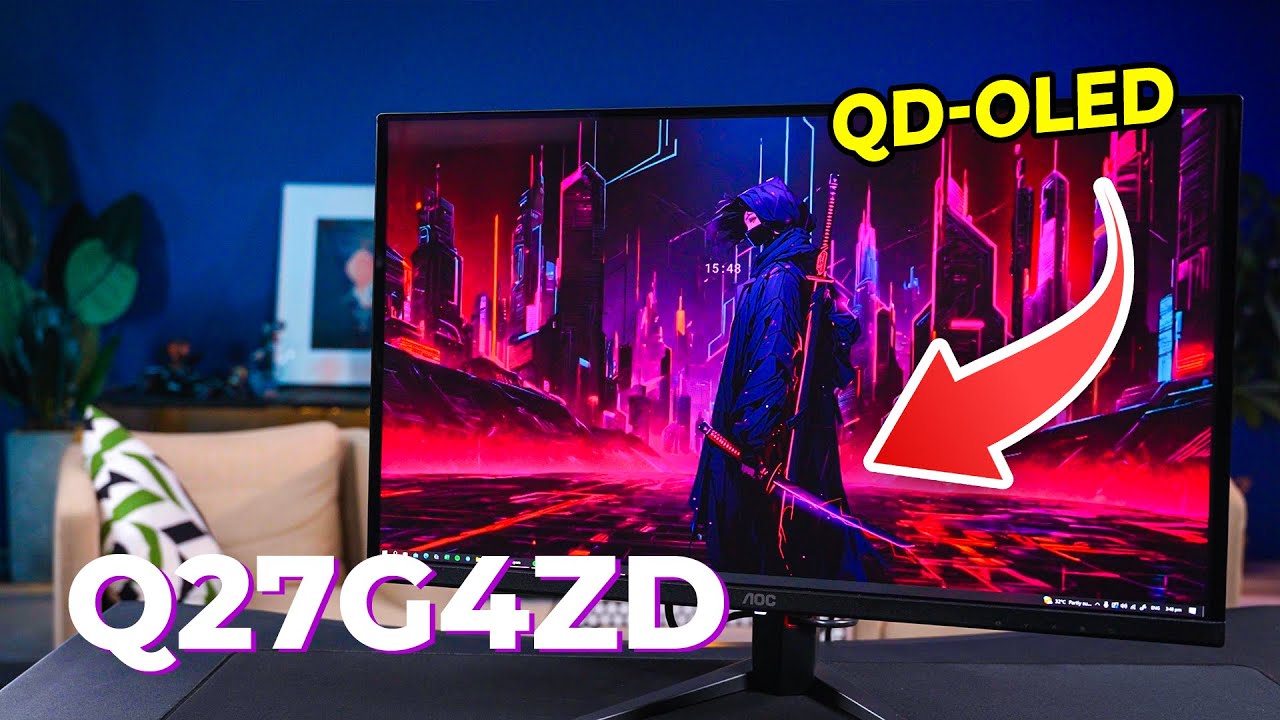
This video provides a hands-on look at the AOC Q27G4ZD, a 26.5-inch QD-OLED gaming monitor. It covers the unboxing process, highlights the monitor's sleek design and thin bezels, and details its impressive specifications, including QHD resolution, a 240Hz refresh rate, and a 0.03ms response time. The video explains the benefits of QD-OLED technology over standard OLED, showcases the monitor's adjustable stand, and demonstrates its gaming-specific features like game modes, sniper scope, and shadow control. It concludes with a brief performance assessment, emphasizing the importance of using the correct cables for optimal refresh rates.
How was this?
Save this permanently with flashcards, quizzes, and AI chat
Chapters
- The monitor comes with essential cables (DisplayPort, HDMI, power), a quick start guide, and a compact, lightweight stand.
- Assembly involves attaching the arm to the stand and then mounting the monitor, with a recommended method to protect the screen.
- The monitor boasts a very sleek and modern design with extremely thin bezels, enhancing its aesthetic appeal for gaming setups.
- Connectivity options include USB ports, two HDMI ports, a DisplayPort, and an audio jack, located on the bottom and side.
Understanding the unboxing and assembly process helps set expectations for setup, while the initial aesthetic impressions highlight the monitor's design philosophy and suitability for modern gaming environments.
The presenter demonstrates sliding the monitor arm into the stand and tightening a screw for the base, showing the physical assembly.
- The AOC Q27G4ZD features a 26.5-inch QD-OLED panel with QHD resolution and a 240Hz refresh rate.
- QD-OLED technology uses quantum dots to improve upon standard OLED, resulting in more vibrant colors and higher brightness.
- Key specifications include a 0.03ms response time, 1.5 million:1 contrast ratio, 1000 nits peak HDR brightness, and excellent color coverage (100% sRGB, 99% DCI-P3).
- It is VESA DisplayHDR True Black 400 certified and factory calibrated for color accuracy (Delta E < 2).
Knowing the specifics of QD-OLED technology and the monitor's specifications is crucial for understanding its performance capabilities in terms of visual fidelity, responsiveness, and color accuracy for gaming and other demanding tasks.
The presenter explains that QD-OLED uses quantum dots to enhance color and brightness compared to regular OLED, leading to a more vivid picture.
- The monitor includes adaptive sync for tear-free gameplay and low input lag modes.
- AOC's 'G Menu' software allows users to access and customize various gaming presets (FPS, RTS, Racing) and other settings.
- Specialized features like 'Sniper Scope' (offering zoom levels) and 'Shadow Control' (brightening dark areas) are designed to provide a competitive edge.
- Initial testing, including a UFO test for ghosting, shows impressive motion clarity with no visible ghosting, especially when using the included DisplayPort cable.
These gaming-centric features and performance aspects directly impact the player's experience, offering tools to improve visibility, reduce visual artifacts, and gain an advantage in fast-paced games.
The video shows the 'Shadow Control' feature being toggled, illustrating how it brightens dark in-game areas to reveal hidden details.
- The monitor's stand offers extensive adjustability, including swivel, pivot, tilt, and height adjustment (up to 130mm).
- Achieving the maximum 240Hz refresh rate requires using the DisplayPort cable and potentially adjusting in-game or monitor settings.
- The monitor offers a strong balance of speed, clarity, and color performance due to its QD-OLED panel and gaming features.
- The presenter encourages viewer feedback on the importance of QD-OLED for their gaming experience.
The comprehensive stand adjustments ensure ergonomic comfort and optimal viewing angles, while the concluding remarks summarize the monitor's strengths and prompt reflection on the value of its advanced display technology.
The presenter lists the degrees of swivel (-30° to 30°), pivot (-90° to 90°), tilt (-5° to 23°), and height adjustment (130mm) offered by the stand.
Key takeaways
- QD-OLED technology offers superior color vibrancy and brightness compared to standard OLED by incorporating quantum dots.
- The AOC Q27G4ZD is designed for high-performance gaming with its fast 240Hz refresh rate, 0.03ms response time, and QHD resolution.
- Gaming-specific software features like 'G Menu', 'Sniper Scope', and 'Shadow Control' can provide tangible advantages in competitive play.
- Proper cable selection (DisplayPort) is essential to unlock the monitor's full refresh rate capabilities.
- The monitor's sleek design and highly adjustable stand contribute to both its aesthetic appeal and user comfort.
- Color accuracy is a key strength, with factory calibration and wide color gamut coverage making it suitable for color-critical tasks beyond gaming.
Key terms
QD-OLEDOLEDQuantum DotQHD Resolution240Hz Refresh Rate0.03ms Response TimeVESA DisplayHDR True Black 400Adaptive SyncG MenuSniper ScopeShadow Control
Test your understanding
- How does QD-OLED technology differ from standard OLED in terms of visual performance?
- What are the primary benefits of the 240Hz refresh rate and 0.03ms response time for a gaming monitor?
- Explain the purpose of the 'Sniper Scope' and 'Shadow Control' features on the AOC Q27G4ZD.
- Why is it important to use the DisplayPort cable when setting up this monitor for gaming?
- What aspects of the AOC Q27G4ZD contribute to its overall value as a gaming monitor?