AI-Generated Video Summary by NoteTube
YouTube Video wTcixff6j8w
Overview
This video provides a comprehensive guide to setting up and utilizing the NodeZero penetration testing platform. It begins with the initial download and deployment of the NodeZero OVA (Open Virtualization Appliance) in a VMware environment, detailing the system requirements and network configuration. The process includes logging in, changing default credentials, and verifying network connectivity. Subsequently, the tutorial covers the crucial step of establishing a 'runner' – a component that enables the NodeZero platform to execute tests from the deployed OVA. This involves generating a runner via the NodeZero portal and installing it on the OVA using a provided command. Finally, the video demonstrates how to initiate and monitor an internal penetration test, from selecting targets and configurations to observing the test execution in real-time through Docker logs and the NodeZero interface. The session concludes with a review of the penetration test results, highlighting host compromise due to default credentials on iDRAC interfaces and providing actionable remediation steps.
This summary expires in 30 days. Save it permanently with flashcards, quizzes & AI chat.
Chapters
- •Download the NodeZero OVA from the official website.
- •System requirements include 2 CPUs, 8GB RAM, 128GB disk space, and a bridged network adapter.
- •Deploy the OVA using VMware's 'Deploy from OVF Template' option.
- •Ensure outbound traffic is allowed for necessary URLs (Ubuntu, Canonical, Horizon3, GitHub).
- •Log in with default credentials: username 'nodezero', password 'nodezero'.
- •Immediately change the password to meet complexity requirements (14 characters, digit, special, upper/lowercase).
- •Select the appropriate region (e.g., US).
- •Log out and log back in with the new password.
- •Verify network connections and enable SSH password authentication.
- •Access the NodeZero portal at portal.horizon3i.com and log in.
- •Navigate to the 'Pen Test' dropdown and select 'Runners'.
- •Click 'Install Runner' and provide a name for the runner (e.g., 'end-to-end-video').
- •Copy the provided curl command to install the runner on the OVA.
- •Execute the curl command within the OVA's SSH session.
- •Verify the runner appears and is active in the NodeZero portal.
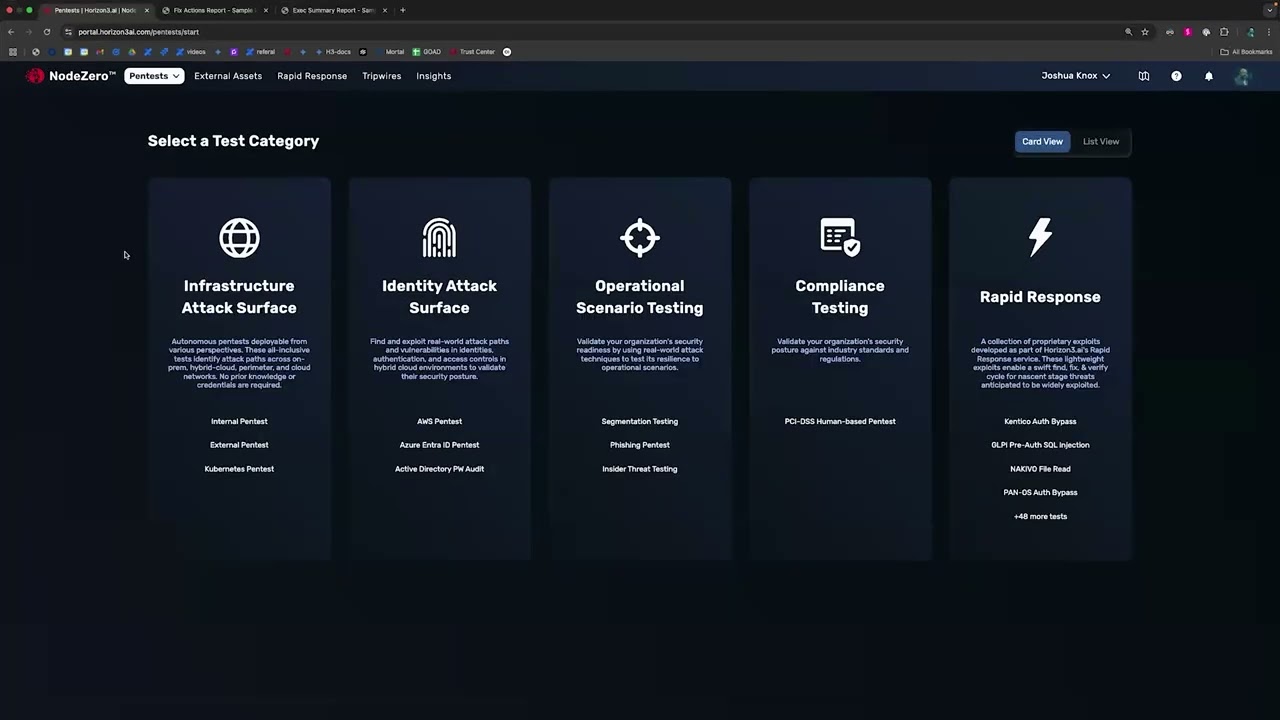
- •Navigate to 'Pen Tests' and click 'Run Pen Test'.
- •Choose the 'Internal' pen test type and select a default template.
- •Define a name for the test (e.g., 'end-to-end-video-test').
- •Specify the target CIDR range (e.g., a /24 subnet) and optionally exclude IPs.
- •Disable tripwires for this demonstration.
- •Select the previously created runner and accept the risk to start the test.
- •Observe the NodeZero portal screen for test status updates.
- •Simultaneously, SSH into the OVA to monitor Docker processes using 'watch docker ps'.
- •Track the creation and activity of the Docker container running the test.
- •View detailed logs from the Docker container using 'docker logs -f <container_name>' to see the test progress in real-time.
- •Observe initial reconnaissance activities like host discovery and DNS recon.
- •Once the test completes, review the summary: impacts, weaknesses, credentials, and compromised hosts.
- •Investigate 'Host Compromise' to understand attack paths and the root cause.
- •In this case, default credentials on Dell iDRAC interfaces were identified as the vulnerability.
- •Examine the 'Weaknesses' tab, ordered by severity, to identify specific vulnerabilities like 'SSH default creds'.
- •Utilize the 'Fix Actions' section for detailed remediation guidance.
- •Review the 'Hosts' tab for details on compromised machines, including their weaknesses and activity logs.
- •Explore other sections like 'Services', 'URLs', 'Certificates', and 'Users' for further insights.
Key Takeaways
- 1NodeZero provides an end-to-end solution for internal penetration testing, from appliance deployment to result analysis.
- 2Proper network configuration, including a bridged adapter and firewall rules, is essential for the OVA and runner functionality.
- 3Runner setup simplifies test execution by allowing the NodeZero platform to leverage the OVA's capabilities.
- 4Real-time monitoring of Docker processes and logs on the OVA offers valuable insight into the penetration test's progress.
- 5Default credentials, especially on management interfaces like iDRAC, pose a significant security risk and are common findings.
- 6The NodeZero platform not only identifies vulnerabilities but also provides clear, actionable steps for remediation.
- 7Understanding the attack paths and the impact of compromised hosts is crucial for prioritizing security efforts.