System Design for Beginners Course
freeCodeCamp.org
Overview
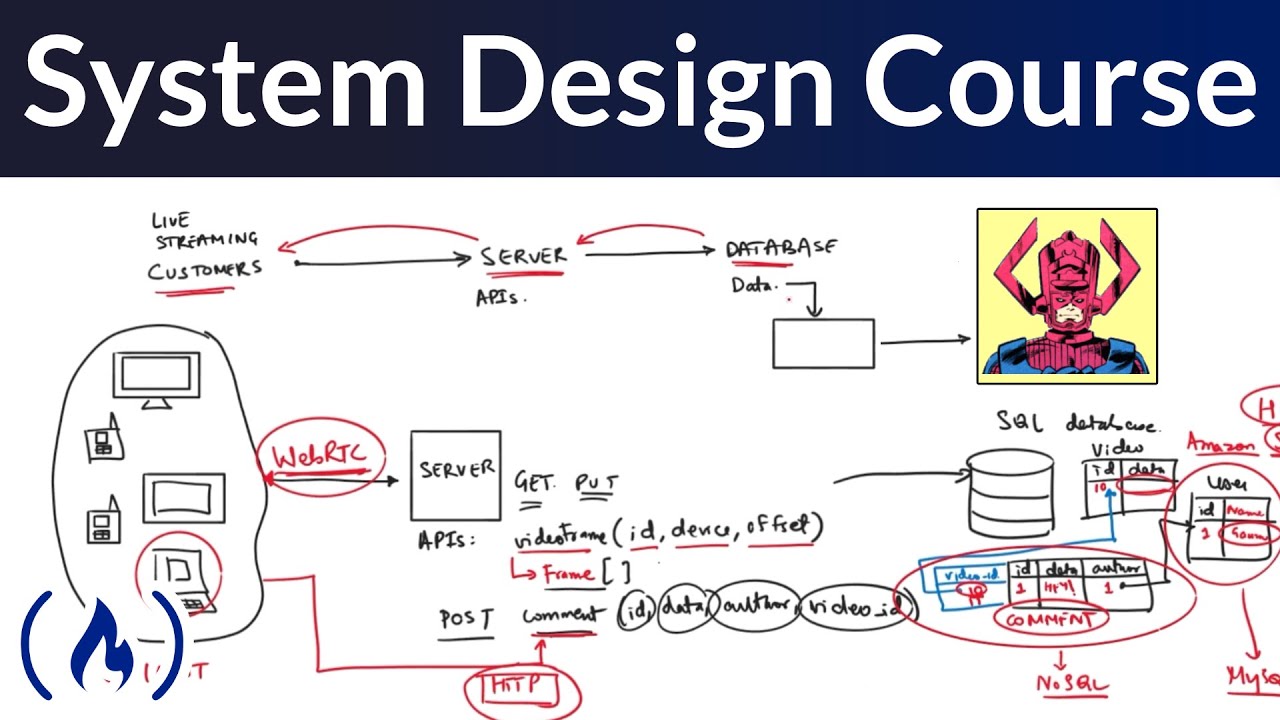
This video provides a beginner-friendly introduction to system design, focusing on the principles and patterns used to build large-scale distributed systems. It explains core concepts like scalability, fault tolerance, and extensibility, using a live streaming application as a running example. The course covers translating business requirements into technical specifications, defining data models and APIs, selecting appropriate network protocols and database solutions, and the importance of testing and iterative design. It also touches upon high-level and low-level design considerations, including transformation services, content delivery networks, and user experience optimization.
Save this permanently with flashcards, quizzes, and AI chat
Chapters
- System design is about building large-scale distributed systems that handle significant data, user traffic, and performance expectations.
- Distributed systems spread operations across multiple servers globally for fault tolerance and performance.
- Design patterns are reusable solutions to common problems in system architecture, enabling reliability and scalability.
- The goal is to translate business requirements into robust, scalable, and maintainable technical solutions.
- System design starts with understanding user requirements, often documented in a Product Requirement Document (PRD).
- Prioritize core features (e.g., watching a stream) over secondary ones (e.g., video quality).
- Translate abstract features into concrete data definitions (e.g., a 'like' becomes a user ID, item ID, and timestamp).
- These data definitions are then mapped to objects and eventually database schemas.
- APIs (Application Programming Interfaces) are endpoints that allow users to query and manipulate data.
- Key engineering requirements include fault tolerance (avoiding single points of failure) and extensibility (ease of future modifications).
- Redundancy and partitioning are techniques to achieve fault tolerance.
- Well-designed APIs and modular code promote extensibility, reducing the effort needed for changes.
- Different features may require different network protocols based on their real-time needs and reliability requirements.
- HTTP is a stateless protocol suitable for requests where the client defines all necessary information (e.g., posting comments).
- Protocols like WebRTC are better for real-time, peer-to-peer communication like video conferencing.
- Protocols like HLS and MPEG-DASH are optimized for adaptive streaming, adjusting quality based on network conditions.
- The choice of database depends on the data's nature and access patterns.
- SQL databases (like MySQL) are suitable for structured, relational data (e.g., user information, comment metadata).
- NoSQL databases are often preferred for large-scale, less structured data or when high scalability and flexible schemas are needed (e.g., potentially for comments with evolving requirements).
- File systems (like HDFS or S3) are cost-effective for storing large binary data like video files.
- Raw video footage needs to be transformed into various resolutions and formats suitable for different devices and network conditions.
- This involves breaking video into segments and processing them concurrently using services.
- Design patterns like MapReduce can be applied to distribute the processing of these segments across multiple servers.
- The goal is to create a set of optimized video streams ready for delivery.
- Content Delivery Networks (CDNs) are used to cache static content closer to users, reducing latency and server load.
- Adaptive streaming protocols (like HLS and MPEG-DASH) dynamically adjust video quality based on the user's network.
- Caching frequently accessed data (e.g., recent video segments) on servers can further improve performance by avoiding network calls.
- Balancing statelessness with caching is important for performance and reliability.
- Low-level design focuses on the implementation details of specific components and user interactions.
- Use case diagrams help identify user actions and system functionalities (e.g., play video, resume playback).
- Class diagrams define the structure of objects, their states, and behaviors.
- Optimizing for user experience includes features like seamless playback, buffering, and remembering viewing progress.
Key takeaways
- System design is an iterative process of translating business needs into scalable, reliable technical solutions.
- Understanding user requirements and defining clear APIs are the first steps in designing any system.
- Choosing the right network protocols and database technologies is crucial for performance and cost-effectiveness.
- Fault tolerance and extensibility should be considered from the outset to ensure a system's longevity.
- Video transformation and adaptive streaming are key to delivering content efficiently to diverse audiences.
- Leveraging design patterns and existing tools (like CDNs and databases) saves development time and improves reliability.
- Low-level design focuses on implementing specific features and optimizing the user experience.
Key terms
Test your understanding
- What are the primary reasons for using distributed systems in large-scale applications?
- How do design patterns contribute to building reliable and scalable systems?
- Why is it important to define data models and APIs before diving into implementation?
- What factors influence the choice between different network protocols like HTTP, WebRTC, and MPEG-DASH?
- How can a system be designed to handle video processing and delivery efficiently for users with varying network conditions and devices?