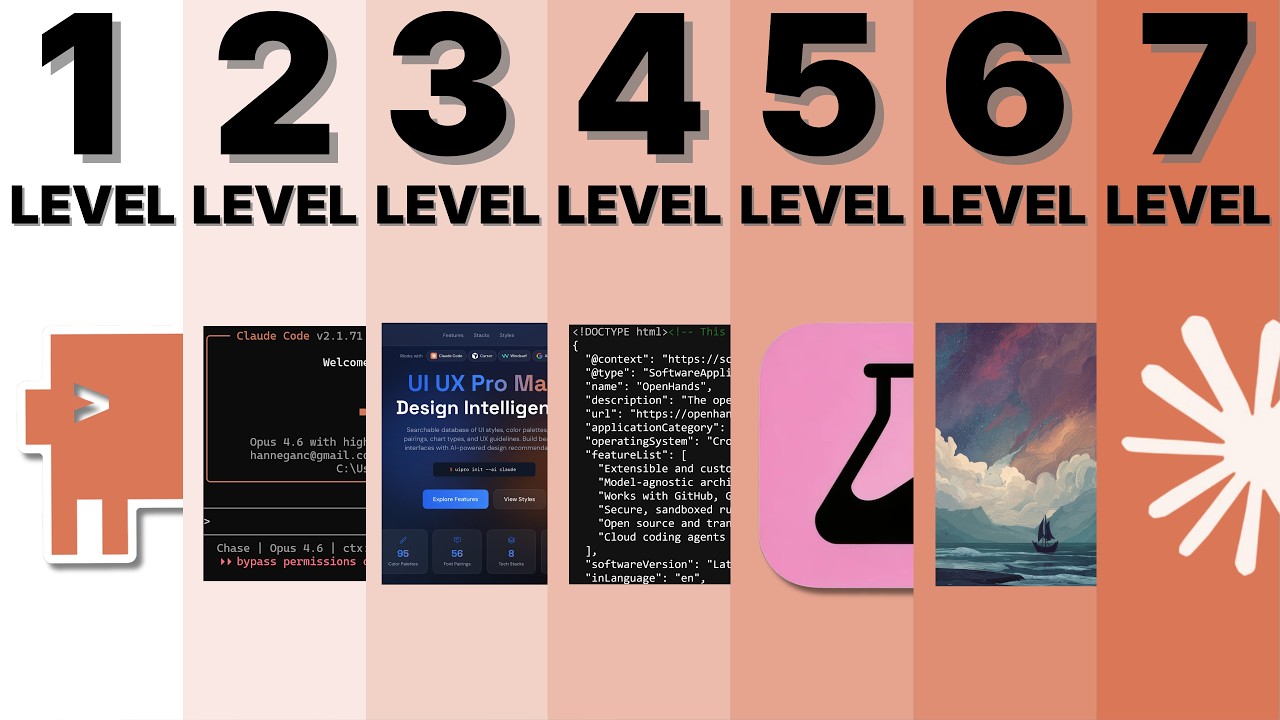
The 7 Levels of Building ELITE Websites with Claude Code
Chase AI
Overview
This video outlines a seven-level progression for building elite websites using Claude Code, moving from basic prompting to advanced creative expression. It emphasizes that AI's limitations in design taste can be overcome by learning to articulate specific visual goals, leveraging external tools and resources, and understanding the underlying code. The journey involves understanding frameworks, using specialized prompts, incorporating visual references, deconstructing professional websites, integrating custom components, utilizing external design tools, and finally, exploring cutting-edge 3D experiences. The core message is that effective AI-assisted web design requires a developing designer's eye and the ability to translate abstract aesthetic desires into concrete instructions for the AI.
Save this permanently with flashcards, quizzes, and AI chat
Chapters
- Starting with only a basic prompt results in generic, uninspired website designs because the AI lacks specific design direction.
- AI, like Claude Code, has no inherent 'taste'; users must be able to articulate what 'looks good' to guide the AI effectively.
- Essential skills to develop include writing descriptive prompts, specifying and understanding frameworks (e.g., Next.js, HTML), and building a basic design vocabulary.
- Claude Code's 'Plan Mode' can help by asking clarifying questions about tech stacks, website goals (e.g., sign-ups, showcases), and style preferences, but initial options are often too broad.
- To improve output, Claude Code needs 'design education' through specialized prompts and external 'skills'.
- Skills like 'UIUX Pro Max' act as enhanced prompt libraries, injecting industry-specific design principles, color theory, and layout best practices.
- These skills help Claude Code avoid common AI design pitfalls and generate more sophisticated results, even with basic user input.
- Skills can be installed via commands or by pasting URLs into Claude Code, making advanced design guidance accessible.
- Moving beyond text prompts, this level involves showing Claude Code concrete visual examples of desired styles.
- Using screenshots of websites you like provides a more effective way to communicate aesthetic goals than purely descriptive text.
- Resources like Awwwards, Godly, Pinterest, and Dribbble are valuable for finding inspiration and curating visual references.
- While visual references improve results, there's still a 'vibe gap' as AI translates images into code, leading to outputs that are close but not perfect.
- This level focuses on learning by deconstructing and 'cloning' the code of professional websites, not for plagiarism, but for educational purposes.
- Understanding the three core components of front-end design – HTML (structure), CSS (styling), and JavaScript (interactivity) – is essential.
- By providing Claude Code with the HTML, CSS, and JavaScript source code of a desired website, it can more accurately replicate its structure and functionality.
- Specialized skills, like 'Site Teardown', can help Claude Code better process and utilize the underlying code of external websites, leading to more accurate replication and providing opportunities to ask detailed 'how-to' questions.
- This level is about moving beyond cloning to integrating custom components and unique creative assets.
- High-quality components (buttons, carousels, navigation) can be found and adapted from sites like 21st.dev, CodePen, and Monae.
- Customization involves either prompting Claude Code to modify existing components or creating entirely new assets, such as AI-generated art or videos.
- Visual storytelling, using unique imagery and taglines, becomes central to making a website original and engaging.
- This level involves using external visual design tools to refine and iterate on the AI-generated code.
- Tools like Stitched, Figma, and Pencil.dev provide visual canvases for more granular control over design elements and layouts.
- Learners can import AI-generated designs into these tools, make modifications, and then re-import the updated visuals back into Claude Code for implementation.
- This iterative process focuses on adding subtle details, improving typography, and applying effects like glassmorphism to create a polished, premium feel.
- This is the cutting edge, involving complex 3D experiences, custom WebGL, and shaders, akin to video game development.
- These advanced techniques are typically the domain of large design teams and are currently beyond the scope of typical AI-assisted workflows for most users.
- The purpose of this level is to showcase the ultimate possibilities in web design and inspire future learning, rather than being immediately actionable.
- Websites at this level are highly artistic, custom-built, and often require specialized development skills.
Key takeaways
- AI tools like Claude Code are powerful but require specific guidance; the quality of output directly correlates with the quality of user input and understanding.
- Developing a design vocabulary and the ability to articulate aesthetic preferences is as crucial as understanding the AI's capabilities.
- Learning from professional websites by deconstructing their code (cloning) is an effective method for understanding advanced techniques and improving design skills.
- Visual references, custom components, and external design tools are essential for moving beyond generic AI outputs to create unique and branded websites.
- The progression through the levels demonstrates a shift from passive AI generation to active creative direction and iterative refinement.
- Effective AI-assisted web design is a collaborative process where the user acts as a director, leveraging AI as a tool to execute a vision.
- Even with AI, achieving elite website design requires continuous learning, experimentation, and a focus on subtle details that enhance user experience and perceived quality.
Key terms
Test your understanding
- Why does starting with a simple prompt for Claude Code often lead to generic website designs, and what skills are needed to overcome this?
- How can external 'skills' or prompt libraries like 'UIUX Pro Max' enhance Claude Code's design capabilities?
- What is the significance of using visual references and screenshots in guiding Claude Code's design process, and what are the limitations of this approach?
- Explain the 'cloner' level: why is deconstructing and understanding the source code (HTML, CSS, JS) of existing websites important for learning front-end design with AI?
- How does Level 5, focusing on custom components and creative assets, allow for greater originality compared to simply cloning existing designs?