Every Free App You Actually Need Explained in 20 Minutes
Explainer Chris
Overview
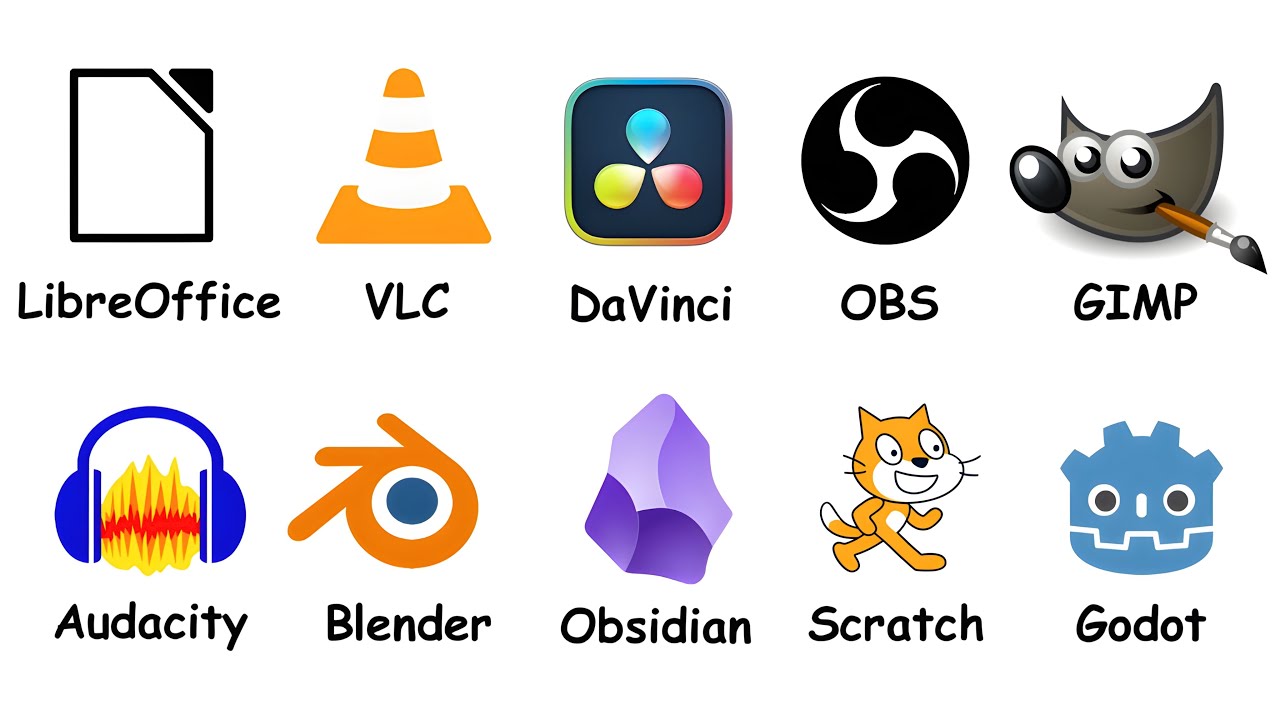
This video explores essential free software alternatives to expensive paid applications across various categories like office productivity, media playback, video editing, streaming, graphic design, audio editing, 3D modeling, note-taking, programming, and game development. It highlights how open-source and community-driven projects offer powerful functionalities, often rivaling or exceeding their paid counterparts, without the recurring subscription costs. The summary emphasizes the value proposition of these free tools, acknowledging that the primary trade-off is often a steeper learning curve, but ultimately advocating for their adoption for significant cost savings.
Save this permanently with flashcards, quizzes, and AI chat
Chapters
- LibreOffice is a free, open-source alternative to Microsoft Office, offering word processing, spreadsheets, and presentations.
- It maintains compatibility with Microsoft Office file formats and functions offline without requiring an account or sending telemetry data.
- Adopted by governments and suitable for 99% of users, its main limitations are advanced Excel macros and complex PowerPoint animations.
- It replaces a costly annual subscription with zero financial outlay, making it highly competitive for students, freelancers, and small businesses.
- VLC Media Player is a robust, free alternative to default media players that often struggle with diverse file formats.
- Its primary advantage is its ability to play virtually any video or audio file format, including obscure or older ones.
- VLC is lightweight, efficient, and offers additional features like file conversion, streaming, screen recording, and DVD ripping.
- It's described as the 'cockroach of media players' for its reliability and universal compatibility.
- DaVinci Resolve is a professional-grade video editing suite offered for free by Blackmagic Design.
- It integrates video editing, motion graphics (Fusion), visual effects, professional audio (Fairlight), and advanced color grading into one application.
- The free version provides 95% of the features needed by most users, with the paid studio version offering advanced noise reduction and AI features.
- While powerful, Resolve has a steep learning curve and requires a capable computer, but it replaces hundreds of dollars in annual software costs for creators.
- OBS Studio is a free, open-source tool that has become the standard for live streaming and video production.
- It allows users to create professional-looking streams by layering various sources like screen captures, webcams, and images into scenes.
- OBS offers high-quality recording, broad platform streaming capabilities, and an extensive plugin ecosystem for added functionality.
- Despite an initial confusing interface, it's more powerful and cost-effective than paid alternatives like XSplit or Streamlabs Ultra.
- GIMP (GNU Image Manipulation Program) is a powerful, free raster graphics editor, older than Google and YouTube.
- It offers comprehensive tools for image editing, including layers, masks, filters, and brushes, and supports plugins and PSD files.
- While not as polished as Photoshop, GIMP handles most common tasks like creating thumbnails, social media graphics, and web assets effectively.
- It provides a free alternative to Photoshop's annual subscription, though its interface can feel dated and lacks native CMYK support for print design.
- Audacity is a long-standing, free, multi-track audio editor and recorder used widely for podcasts, voiceovers, and music production.
- It provides essential tools for editing, noise reduction, volume normalization, applying effects, and cleaning up recordings.
- Audacity supports VST and LV2 plugins, allowing for expansion with professional audio tools.
- It offers a free alternative to paid software like Adobe Audition, though it faced past controversy regarding telemetry concerns.
- Blender is a comprehensive, free, open-source 3D creation suite used for modeling, sculpting, animation, VFX, and video editing.
- It was made open-source through community crowdfunding and is now a complete 3D production pipeline.
- Blender is used in professional productions, including parts of Spider-Man: Across the Spider-Verse, and features powerful render engines like Cycles and Eevee.
- It has the steepest learning curve among the discussed software but replaces thousands of dollars in annual costs for professional 3D tools.
- Obsidian is a free note-taking app that stores data locally as markdown files, offering users full control over their information.
- It emphasizes bidirectional linking, allowing users to create a connected web of notes visualized in a graph view.
- A vast plugin ecosystem extends Obsidian's functionality with features for calendars, flashcards, task management, and more.
- It serves as a privacy-focused alternative to cloud-based services like Notion or Evernote, though syncing requires an additional cost or manual setup.
- Scratch is a free visual programming language developed by MIT, teaching coding concepts through drag-and-drop blocks.
- It allows users to create interactive projects like animations, games, and stories without writing traditional code.
- Scratch teaches fundamental programming logic (loops, variables, conditions) in an accessible way, suitable for beginners and children.
- It has fostered a large online community with over 100 million shared projects, serving as a free entry point into computational thinking.
- Godot Engine is a free, open-source game engine with an MIT license, meaning no royalties or hidden fees.
- It supports both 2D and 3D game development using a scene and node system, offering GDScript (Python-like) and C# support.
- Godot has been used successfully for commercial indie games and provides a viable alternative to expensive engines like Unity and Unreal Engine.
- Its key advantage is that developers retain full ownership of their creations, a significant differentiator in the current market.
- Handbrake is a free video converter and compressor that significantly reduces file sizes while maintaining quality.
- It's essential for preparing videos for upload to platforms like YouTube, replacing paid converters.
- 7-Zip is a free file archiver that can open virtually all archive formats (ZIP, RAR, TAR, etc.) and offers superior compression with its own 7z format.
- Both tools are indispensable utilities that handle common digital tasks efficiently and without cost.
Key takeaways
- Many powerful software applications across diverse categories have free, open-source alternatives that match or exceed the functionality of paid options.
- Transitioning to free software can result in substantial annual cost savings, particularly for individuals and small businesses.
- The primary trade-off for using free software is often a steeper learning curve, requiring an investment of time to master.
- Open-source projects are frequently driven by community contributions, leading to robust features and rapid development.
- Understanding the core functionalities and unique strengths of each free tool allows for building a highly effective, cost-efficient digital toolkit.
- Prioritizing local data storage and user control is possible with tools like Obsidian, offering an alternative to cloud-dependent subscription services.
- Free software democratizes access to professional-grade tools, enabling creators and developers regardless of their budget.
Key terms
Test your understanding
- What are the main advantages of using open-source software like LibreOffice compared to paid alternatives?
- How does VLC Media Player address the common problem of unsupported media file formats?
- Why is DaVinci Resolve considered a significant development for aspiring video editors and filmmakers?
- What is the core concept behind OBS Studio's scene-based system for live streaming?
- How does Obsidian's approach to note-taking differ from cloud-based services, and what is the benefit of bidirectional linking?
- What makes Godot Engine a compelling choice for indie game developers, especially in light of recent industry changes?