AI-Generated Video Summary by NoteTube
Building AI Agents that actually work (Full Course)
Greg Isenberg
Overview
This video provides a beginner-friendly guide to building and utilizing AI agents, differentiating them from simple chat models. It explains the core 'agent loop' (observe, think, act) and introduces key components like LLMs, agent harnesses, and MCPs for tool integration. The tutorial demonstrates setting up an executive assistant agent by focusing on context engineering through `.md` files, akin to onboarding a human employee. It covers memory management for continuous learning and improvement, and the crucial role of skills (SOPs for AI) in automating repetitive tasks. The video showcases practical applications using various agent harnesses like Claude Code, Codeex, and Anti-gravity, emphasizing that understanding the core concepts allows users to adapt to different platforms. The ultimate goal is to build a personalized AI operating system for enhanced productivity.
This summary expires in 30 days. Save it permanently with flashcards, quizzes & AI chat.
Chapters
- •AI agents are a progression from chat models, moving from 'question to answer' to 'goal to result'.
- •Agents plan, execute, and deliver results for a given task.
- •Utilizing agents can lead to significantly higher productivity (10-20x).
- •The AI landscape is evolving from basic chat to more sophisticated agent-based systems.
- •The core of an agent's operation is the 'agent loop'.
- •Observe: The agent gathers information and checks available tools/files.
- •Think: The agent processes information and plans the next steps.
- •Act: The agent executes the planned actions.
- •This loop repeats until the task is completed based on defined parameters.
- •LLM (Large Language Model): The 'brain' of the agent (e.g., Claude Opus, GPT-5.4).
- •Loop: Enables continuous operation until the task is done, unlike single-response chat models.
- •Tools: Integration with external applications and services.
- •Context: Information provided to the agent for understanding tasks and business.
- •Agent Harness: The platform facilitating the agent loop and connections.
- •Agent harnesses (e.g., Claude Code, Codeex, Anti-gravity) are applications that facilitate the agent loop.
- •Demonstrations show agents building a minimalist portfolio website using different harnesses.
- •Security involves scoping agent access and tool permissions.
- •Understanding core concepts allows users to adapt to various agent harnesses ('learning to drive').
- •Unlike chat models with built-in memory, agents require explicit context setup.
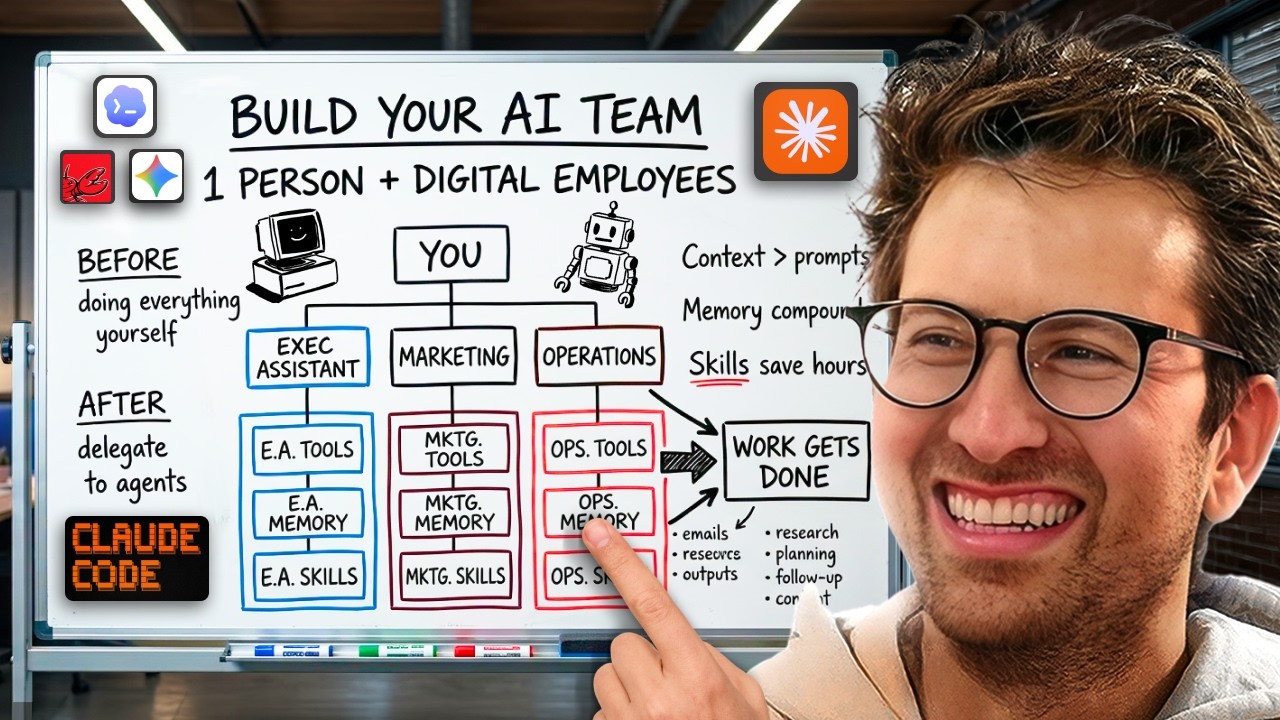
- •Context files (e.g., `agents.md`, `claude.md`) provide role, business information, and preferences.
- •This shifts focus from prompt engineering to 'context engineering'.
- •Well-defined context allows for simpler prompts and better results.
- •Agents need memory to retain preferences and learn across sessions.
- •A `memory.md` file can be used to store learned information and corrections.
- •Instructions in the main context file (`agents.md`) can direct the agent to update memory.
- •This allows agents to improve over time, reducing errors and compounding effectiveness.
- •MCP (Model Context Protocol) acts as a translator between the agent and external tools.
- •It standardizes tool integration, allowing agents to use tools like Gmail, Calendar, Notion, etc.
- •Agent harnesses provide connector interfaces to easily add and sign in to tools.
- •Connecting tools is key to unlocking significant productivity gains.
- •The future involves an 'AI OS' where agents manage departments and tasks.
- •Skills are Standard Operating Procedures (SOPs) for AI, packaging specific processes.
- •Skills prevent repetitive explanations and ensure consistent execution of tasks (e.g., creating proposals, writing hooks).
- •Skills can be created manually or using a 'skill creator' skill within harnesses.
- •Skills can be chained together to create complex workflows (e.g., meeting prep skill using research skills).
- •Agent harnesses are increasingly adding autonomous features like scheduled tasks.
- •Scheduled tasks allow agents to perform actions automatically at set times (e.g., daily briefings).
- •This leads to highly automated workflows and significant time savings.
- •Ease of use varies: Co-work and Perplexity are beginner-friendly; OpenClaw is more advanced.
- •It's recommended to build and test processes in simpler harnesses before migrating to more complex ones.
- •Skills and context files can be global (apply everywhere) or project-level (specific to a task).
- •Start by identifying roles, connecting tools, and building skills through daily use.
Key Takeaways
- 1AI agents transform productivity by moving from simple Q&A to goal-oriented task execution.
- 2The 'agent loop' (Observe, Think, Act) is the fundamental mechanism driving agent functionality.
- 3Effective AI agents require robust context engineering via `.md` files and memory management.
- 4Skills act as reusable SOPs for AI, automating repetitive processes and ensuring consistency.
- 5Integrating tools via MCP unlocks powerful workflows, reducing the need to switch between applications.
- 6Building a personalized 'AI OS' with specialized agents and skills is the future of work.
- 7Start with simpler agent harnesses and gradually migrate to more advanced platforms as you gain experience.
- 8Continuously identify manual processes and convert them into skills to compound automation benefits over time.