Constants in C (Part 1)
Neso Academy
Overview
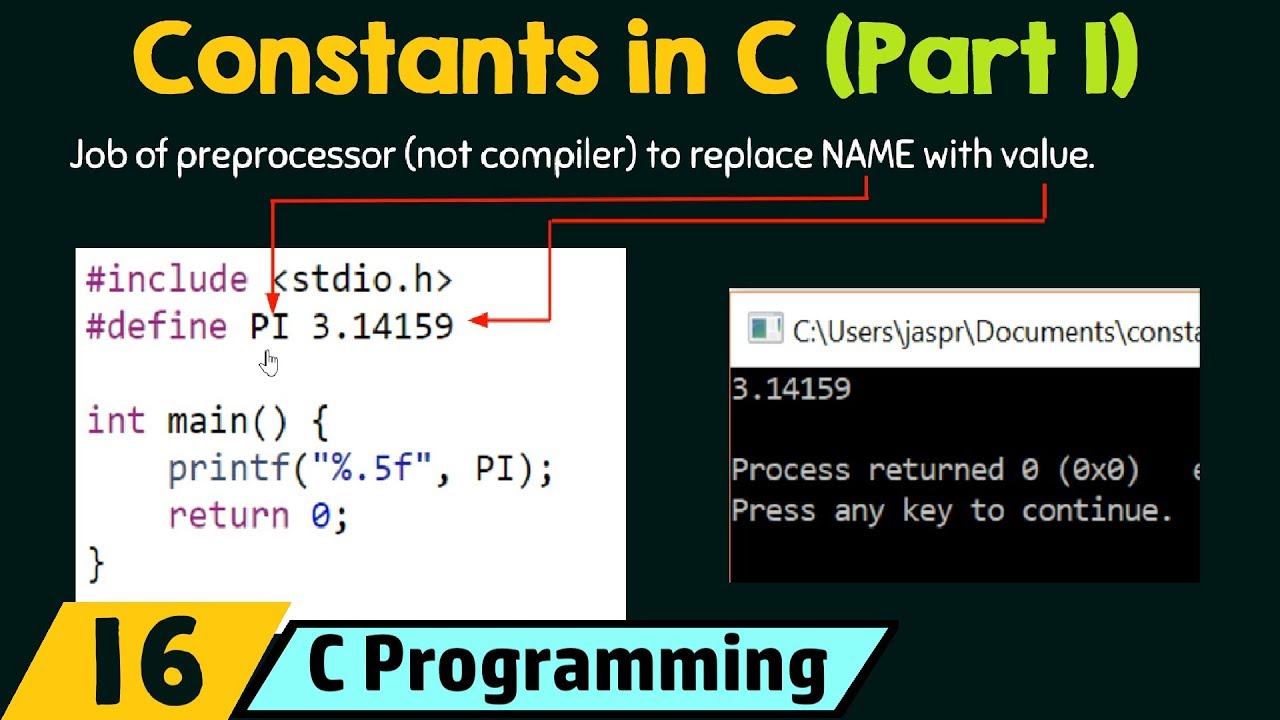
This video introduces the concept of constants in the C programming language, explaining their importance in creating stable and readable code. It details two primary methods for defining constants: using the `#define` preprocessor directive and the `const` keyword. The `#define` directive is explored extensively, covering its syntax, how the preprocessor replaces macro names with their values, and best practices such as using all capital letters for macro names to avoid naming conflicts with variables. The video also demonstrates how `#define` can be used to create function-like macros, including multi-line macros, and highlights the crucial concept of 'expansion before evaluation' with examples. Finally, it touches upon predefined macros for displaying the current date and time.
Save this permanently with flashcards, quizzes, and AI chat
Chapters
- Constants are values that do not change during program execution.
- They improve code readability and maintainability.
- Two main ways to define constants: `#define` and `const` keyword.
- Syntax: `#define NAME value`.
- The preprocessor replaces all occurrences of `NAME` with `value` before compilation.
- Example: `#define PI 3.14159`.
- Do not end `#define` statements with a semicolon.
- Use all capital letters for macro names (e.g., `PI`) to distinguish them from variables.
- Using capital letters prevents naming conflicts and potential errors.
- Text within double quotes is treated as a string literal.
- The preprocessor does not replace macro values within string literals.
- Example: `printf("Value is %d\n", "89");` will print 'Value is 89'.
- Macros can accept arguments, similar to functions.
- Syntax: `#define MACRO_NAME(arg1, arg2) expression`.
- Example: `#define ADD(x, y) x + y`.
- Use a backslash (`\`) to continue a macro definition onto multiple lines.
- Macros can incorporate conditional statements like `if-else`.
- Example: A macro to compare two numbers and print which is greater.
- Macros are fully expanded before the expression is evaluated.
- This can lead to unexpected results if not handled carefully, especially with operator precedence.
- Example: `5 * ADD(4, 3)` evaluates to `5 * (4 + 3)` which is `5 * 7 = 35`, not `(5 * 4) + 3 = 23`.
- C provides built-in macros for common information.
- `__DATE__` prints the compilation date.
- `__TIME__` prints the compilation time.
- These use double underscores.
Key takeaways
- Constants make code more readable and prevent accidental modification of critical values.
- Use `#define` for simple value substitutions and `const` for type-safe constants (though `const` is not covered in detail here).
- Always use all capital letters for `#define` macro names to avoid confusion with variables.
- Never add a semicolon at the end of a `#define` statement.
- Preprocessor macros are expanded before evaluation, which requires careful attention to operator precedence.
- Macros can mimic function behavior but lack type checking and can lead to unexpected side effects if arguments are not enclosed in parentheses.
- String literals within `printf` or other functions are not subject to macro replacement.
- C provides predefined macros like `__DATE__` and `__TIME__` for useful system information.